End-Users
If you have ran into the the error that "LoadLibrary failed with error 87: The parameter is incorrect (Image below), you're most likely experiencing an issue with the graphics driver.
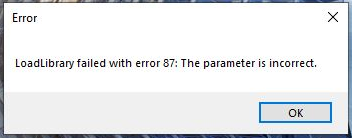
Step 1. Reboot your device. If this does not resolve the issue, submit a ticket with the Service Desk using the following link:
https://fsumed.teamdynamix.com/TDClient/2884/Portal/Requests/TicketRequests/NewForm?ID=ipXvcZebyOU_&RequestorType=Service
Service Desk
If a customer is experiencing the error shown in the above section, this is most likely a graphics driver issue. Use the following steps to resolve this issue:
- Go to Start and type Computer Management
- Run as Administrator
- SCCM - Use LAPS
- Intune - Use EP-WS account
- Reference picture below:

- Computer Management as opened
- Go down to Device Manager on the left-hand side
- Select Device Manager
- If not in Administrator mode you will get an error.
- Go to Display adapters
- Select Graphics Driver
- Reference picture below:

- Use the listed name of the Graphics Card in as shown in picture above (Note this is an example, and may differ per device type)
- Go to manufacturer site and download latest drivers
- Go to Downloads folder
- Install latest driver
- Once the latest version of the drivers have been installed attempt to open PyMOL again.
- If the error does not come back, you have resolved the issue.
- If it does, reboot and open again.